Is There a Power Button on a Hisense Roku TV?
Yes — every Hisense Roku TV has a physical power button somewhere on the set, even though it's rarely obvious at first glance. Modern TV design favors a clean, nearly borderless look, so manufacturers tend to tuck buttons out of sight rather than leaving them visible on the front. If you've lost your remote, the batteries died, or the remote itself stopped responding, you don't need to buy a new one just to turn the TV on — you just need to know where to feel for the button.
Where to Find It, By Model Generation
The exact placement has shifted over the years as Hisense has updated its designs, so the right spot depends roughly on how recent your TV is.
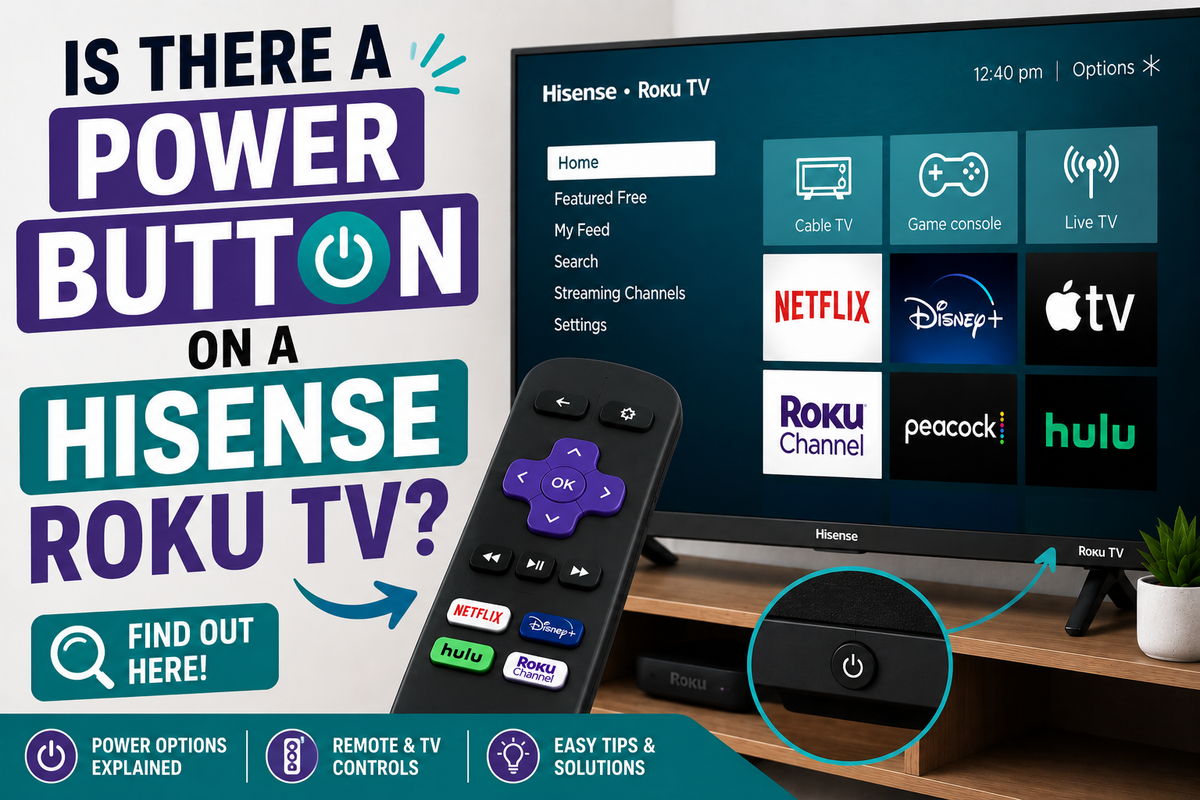
Newer Hisense Roku TVs (most current models): The power button is typically located on the underside of the front bottom bezel, at the center, close to the IR receiver and standby LED. Run a finger along the bottom edge, roughly below the middle of the screen, and you should feel a small raised button.
R6, R7, R8, and R9 series Roku TVs: On these models, the button tends to sit on the back panel instead of the front, usually toward the lower-right corner. Gently pull the bottom edge of the screen forward a few inches to get a clear view around the back, where you'll find a small button marked with the standard power icon.
Older models: On earlier Hisense Roku sets, the button placement is less consistent — it can be on the bottom edge, the right side of the back panel, or near the bottom-right corner of the rear housing. If you can't find it right away, running your fingers slowly along the bottom bezel and the lower-right back edge covers most cases.
Why It's So Hard to Spot
Hisense — like most TV manufacturers — deliberately minimizes visible buttons on current models to keep the bezel looking seamless. In some cases, the standby LED indicator itself doubles as the touch-sensitive power control, rather than a separate mechanical button, which adds to the confusion when you're trying to locate it by sight alone.
What the Button Does
Press and hold the physical power button for a couple of seconds to turn the TV on if it's off, or to shut it down if it's already on. On most models, a quick single press works the same way — a long hold is really only necessary if the first press doesn't register right away. Keep in mind that a firm, deliberate press is often needed, since these buttons are built to avoid being triggered accidentally while cleaning or dusting the TV.
Some Hisense Roku TVs also use the same physical button, held for a longer duration, as part of a manual reset process if the TV becomes unresponsive — so it's worth remembering the location even after you've found your remote again.
If You Still Can't Find It
If running your hand along the bezel and back panel doesn't turn anything up, try these alternatives:
- Check your TV's manual or model-specific support page. Hisense publishes model-specific diagrams that show exact button placement, since it does vary between series.
- Use the official Roku mobile app. Download the Roku app, connect your phone to the same Wi-Fi network as the TV, and it can control power, volume, and navigation just like a physical remote — as long as the TV isn't fully unplugged or in a completely powered-down state (Wi-Fi needs to still be active for the app to reach it).
- Use a universal remote or replacement remote as a low-cost, permanent fix if the original one is beyond repair.
- Check for HDMI-CEC-related power cycling. If the TV seems to turn on and off unexpectedly on its own, a connected device with HDMI-CEC enabled could be triggering it — worth ruling out separately from a missing-remote situation.
Bottom Line
Every Hisense Roku TV does have a physical power button — it's just usually hidden along the bottom front bezel on newer models, or on the lower-right of the back panel on R6–R9 series sets. If you can't locate it by feel, the Roku mobile app is the fastest workaround, since it lets you control the TV over Wi-Fi without needing to find the button at all.