How to Program an Xfinity Remote to a Hisense Roku TV
Introduction
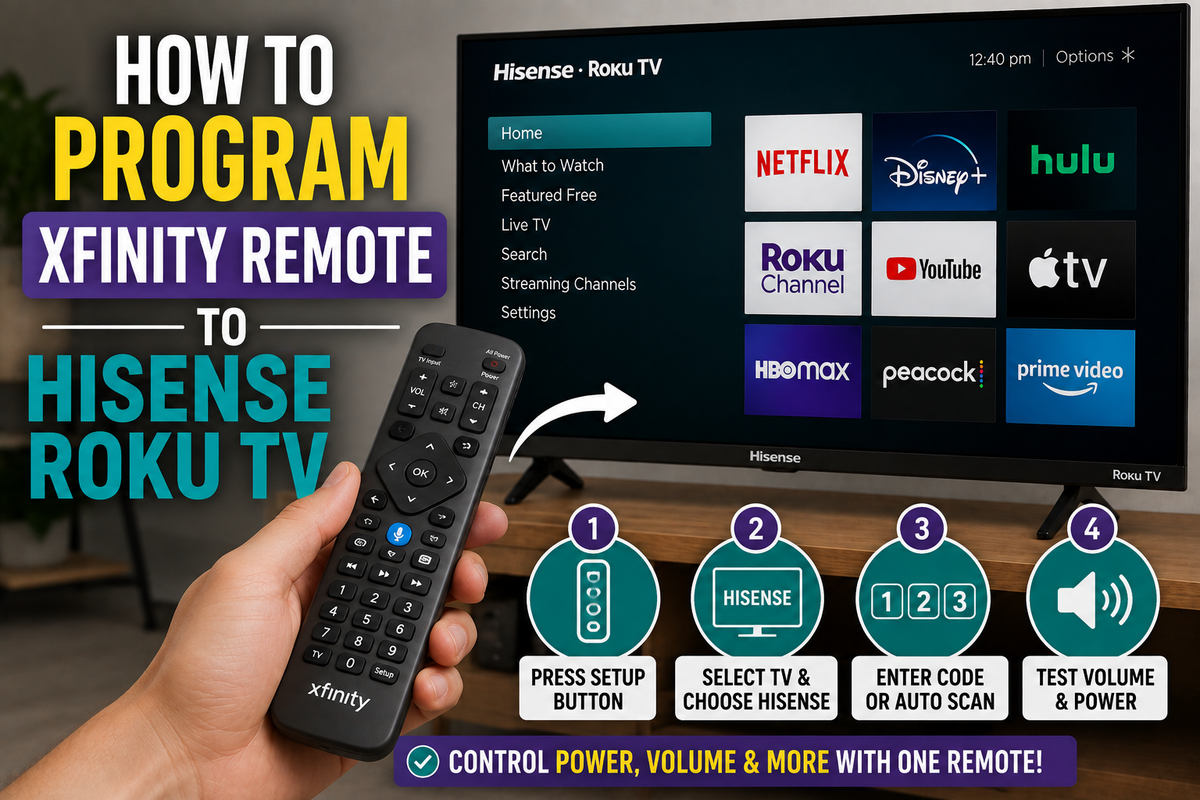
If you've recently purchased a Hisense Roku TV and want to control it with an Xfinity remote, you'll need to pair the two devices correctly. Once the setup is complete, you'll be able to use a single remote to power your TV on and off, adjust the volume, and control basic functions.
Fortunately, programming an Xfinity remote to a Hisense Roku TV usually takes only a few minutes.
This guide explains several methods you can use to connect your Xfinity remote to your television.
Before You Begin
Before starting the setup process, make sure that:
- Your Hisense Roku TV is turned on.
- The Xfinity remote has working batteries.
- You know which Xfinity remote model you're using.
- The remote is within a few feet of the television.
Common Xfinity remote models include:
- XR11
- XR13
- XR15
- XR16
The setup procedure may vary slightly depending on the model.
Method 1: Program the Remote Automatically
Most modern Xfinity remotes support automatic programming.
Follow these steps:
- Turn on your Hisense Roku TV.
- Press and hold the Voice or Setup button on your Xfinity remote.
- Wait for the indicator light to change.
- Follow the on-screen pairing instructions.
- Select TV when prompted.
- Choose Hisense as the television manufacturer.
The remote will attempt to detect the correct code automatically.
After the process is complete, test the following functions:
- Power
- Volume
- Mute
If everything works correctly, the setup is complete.
Method 2: Enter a Remote Code Manually
If automatic programming doesn't work, you can enter a device code manually.
General setup steps:
- Turn on the TV.
- Press and hold the Setup button until the LED changes color.
- Enter a compatible Hisense TV code.
- Wait for the confirmation signal.
- Test the remote.
Different Xfinity remote models may require different codes, so you may need to try several options before finding one that works.
Method 3: Use the Xfinity Setup Tool
Xfinity provides an online setup tool that can help you identify the correct programming instructions for your remote model.
The tool can help you:
- Find compatible codes.
- Identify your remote model.
- Access step-by-step setup instructions.
- Troubleshoot pairing problems.
Troubleshooting Tips
If your remote still isn't working, try the following solutions.
Replace the Batteries
Weak batteries can prevent the remote from completing the programming process.
Restart the Television
Restart your Hisense Roku TV:
- Press Home.
- Open Settings.
- Select System.
- Choose Power.
- Select System Restart.
Try Another Code
Some Hisense televisions respond to different programming codes.
If one code doesn't work, test another.
Move Closer to the TV
Keep the remote within a short distance of the television during setup.
Reset the Remote
If the remote has been paired with another device previously, resetting it may solve the problem.
Frequently Asked Questions
Can an Xfinity remote control a Hisense Roku TV?
Yes. Most modern Xfinity remotes can control basic TV functions, including power and volume.
Will every button work?
Not necessarily. Some Roku-specific features may still require the original Roku remote.
Do I need the original Roku remote?
No. In most cases, you can complete the setup without the original remote.
Conclusion
Programming an Xfinity remote to a Hisense Roku TV is usually a straightforward process. Start with automatic pairing, and if that doesn't work, try manual programming with a compatible code.
Once the setup is complete, you'll be able to control your television with a single remote and simplify your entertainment setup.