How to Connect Xfinity WiFi to a Hisense Roku TV
Connecting your Hisense Roku TV to Xfinity WiFi allows you to stream movies, watch live channels, download apps, and enjoy all of Roku's online features. Fortunately, the setup process is simple and usually takes only a few minutes.
In this guide, you'll learn how to connect your Hisense Roku TV to an Xfinity wireless network and what to do if the connection doesn't work.
Before You Begin
Before starting the setup process, make sure that:
- Your Xfinity internet service is active.
- Your Xfinity gateway or router is turned on.
- You know your WiFi network name (SSID).
- You have your WiFi password available.
- Your Hisense Roku TV is within range of the wireless signal.
If you've recently changed your network settings, restart your router before attempting to connect the TV.
How to Connect Xfinity WiFi to a Hisense Roku TV
Follow these steps to connect your TV to the internet.
Step 1: Turn On Your Hisense Roku TV
Press the Power button on your remote and wait for the Roku home screen to appear.
Step 2: Open the Settings Menu
Using the Roku remote, navigate to:
Home → Settings → Network
The network menu contains all internet and connection options.
Step 3: Select "Set Up Connection"
Choose Set up connection and select Wireless.
The TV will begin searching for nearby wireless networks.
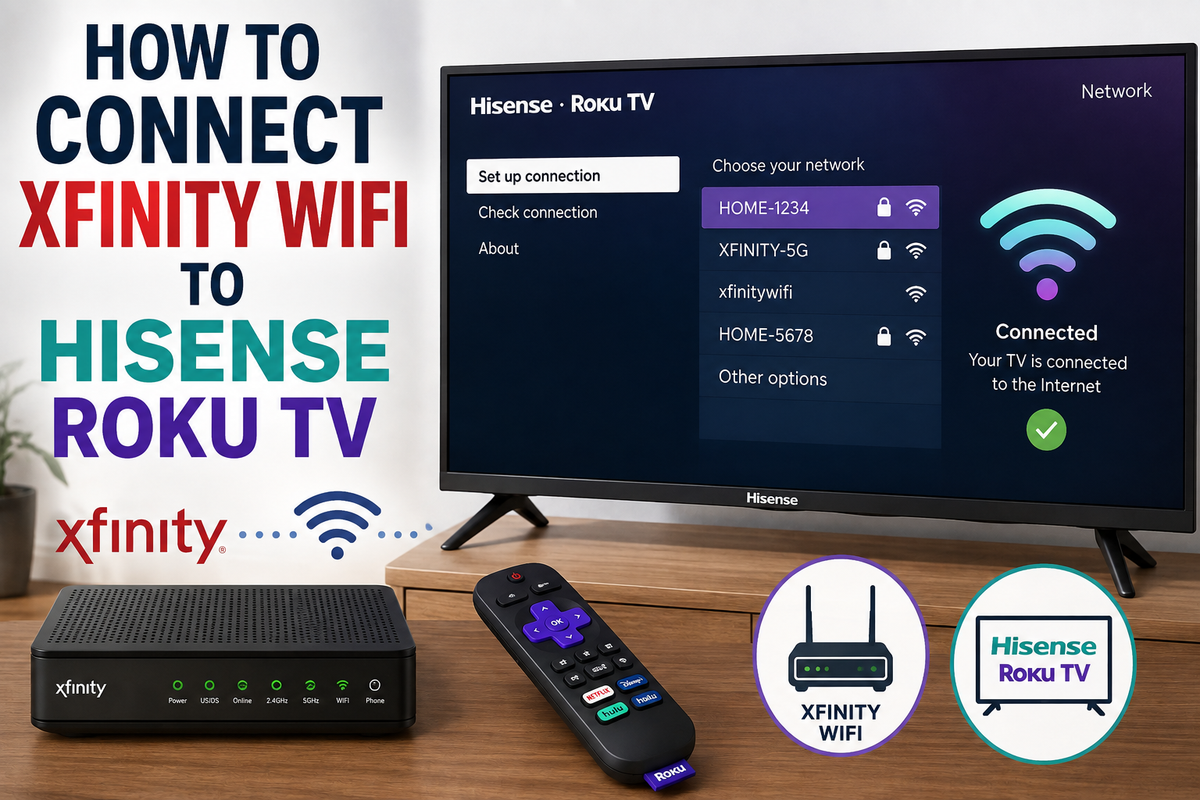
Step 4: Choose Your Xfinity WiFi Network
After the scan is complete, a list of available networks will appear.
Find your Xfinity network and select it.
The network name may look similar to:
- HOME-1234
- XFINITY-5G
- xfinitywifi
If you have both 2.4 GHz and 5 GHz networks, select the one that provides the strongest signal in your location.
Step 5: Enter Your WiFi Password
Use the on-screen keyboard to enter your Xfinity WiFi password.
Remember that passwords are case-sensitive.
Before selecting Connect, double-check your spelling.
Step 6: Wait for the Connection Test to Finish
Your Hisense Roku TV will automatically verify the connection.
The system will check:
- The wireless connection.
- Access to the local network.
- Internet availability.
If all tests are successful, your TV is connected and ready to use.
How to Connect to an Xfinity Hotspot
If you're using an xfinitywifi public hotspot instead of your private home network, additional steps may be required.
Public hotspots often require authentication through a web browser. Since Roku TVs don't support standard browser-based login pages, the connection may fail.
In this situation, try one of these solutions:
- Use your private Xfinity home network.
- Connect through your Xfinity gateway.
- Configure the hotspot through another device if supported.
The TV Can't Find the Xfinity Network
If your WiFi network doesn't appear in the list, try the following:
Restart the Router
Unplug the Xfinity gateway for one minute and then reconnect it.
Restart the TV
Turn off the TV, unplug it for 60 seconds, and turn it back on.
Move the TV Closer to the Router
Distance and physical obstacles can weaken the wireless signal.
Check Whether the Network Is Hidden
Some routers are configured not to broadcast the network name.
If this feature is enabled, you'll need to enter the network information manually.
The TV Connects to WiFi but Has No Internet
If the TV connects to the network but streaming services don't work, try these troubleshooting steps:
- Restart the router.
- Restart the Roku TV.
- Check whether other devices can access the internet.
- Remove the network and reconnect.
- Update your TV software.
To forget the network, go to:
Settings → Network → Set up connection → Wireless → Forget network
Then reconnect using your password.
Why Does the Connection Keep Dropping?
Frequent disconnections are usually caused by:
- Weak wireless signals.
- Router placement.
- Network congestion.
- Outdated router firmware.
Connecting to the 5 GHz network can improve performance if your router supports it.
Final Thoughts
Connecting Xfinity WiFi to a Hisense Roku TV is usually as simple as selecting your network and entering your password. If the connection fails, restarting the router and reconnecting the network often resolves the issue.
Once connected, you'll have access to streaming services, Roku apps, live channels, and all the online features your TV has to offer.